Accident Tool – a WEBish product
An accident takes seconds.
The consequences last for days.
The Accident Tool starts the digital claims record where the incident happens.
When a moment becomes a process.
After an accident, a great deal of information, several people and many next steps come together. In the first few minutes, calm, structure and clear documentation are crucial, not only for the insurer but also for the next steps involving a repair shop, towing service or the police.
Today’s reality.
No common language.
The current process is fragmented:
- Find an accident report form
- Record information by hand
- Overcome language barriers
- Contact the insurer
- Distribute copies
- Arrange towing or a repair shop
- Send documents and wait for processing
The solution
That is exactly what the Accident Tool is for.
Guided. Multilingual. From start to finish.
The Accident Tool guides everyone involved through claim recording in a structured way. People, vehicles, insurance data, accident location, weather and light conditions, photos, circumstances, point of first impact, witnesses and signatures are captured where they are needed. Before submission, the details are confirmed once more. The server then creates the report in the language of each recipient, distributes it and returns the generated PDF to the app.
The modern process
A transparent customer journey.
From a prepared profile to the report in the archive: the current app guides you through the claims process step by step.
Start or try it first
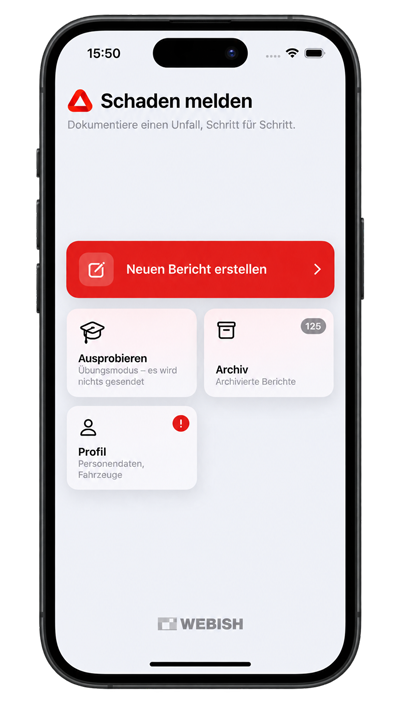
A new report starts directly from the home screen. Practice mode lets you go through the entire process without anything being sent.
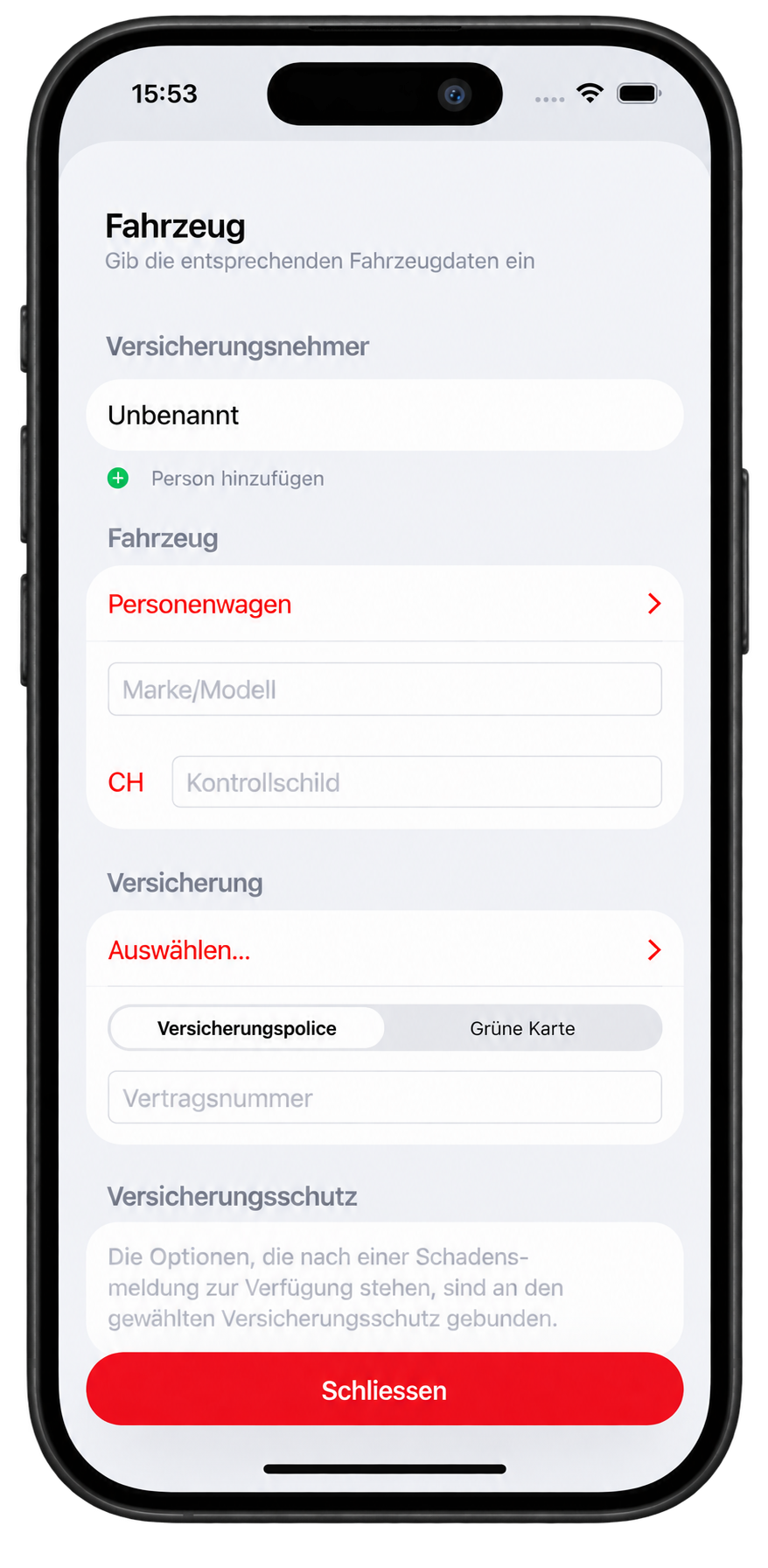
Save personal, vehicle and insurance data
Basic data can be prepared in the profile and reused for new claims. A broker can also be selected instead of an insurer.
Transfer data between parties by QR code
Selected personal and vehicle data can be shared with another app via QR code.
Go to the QR code generator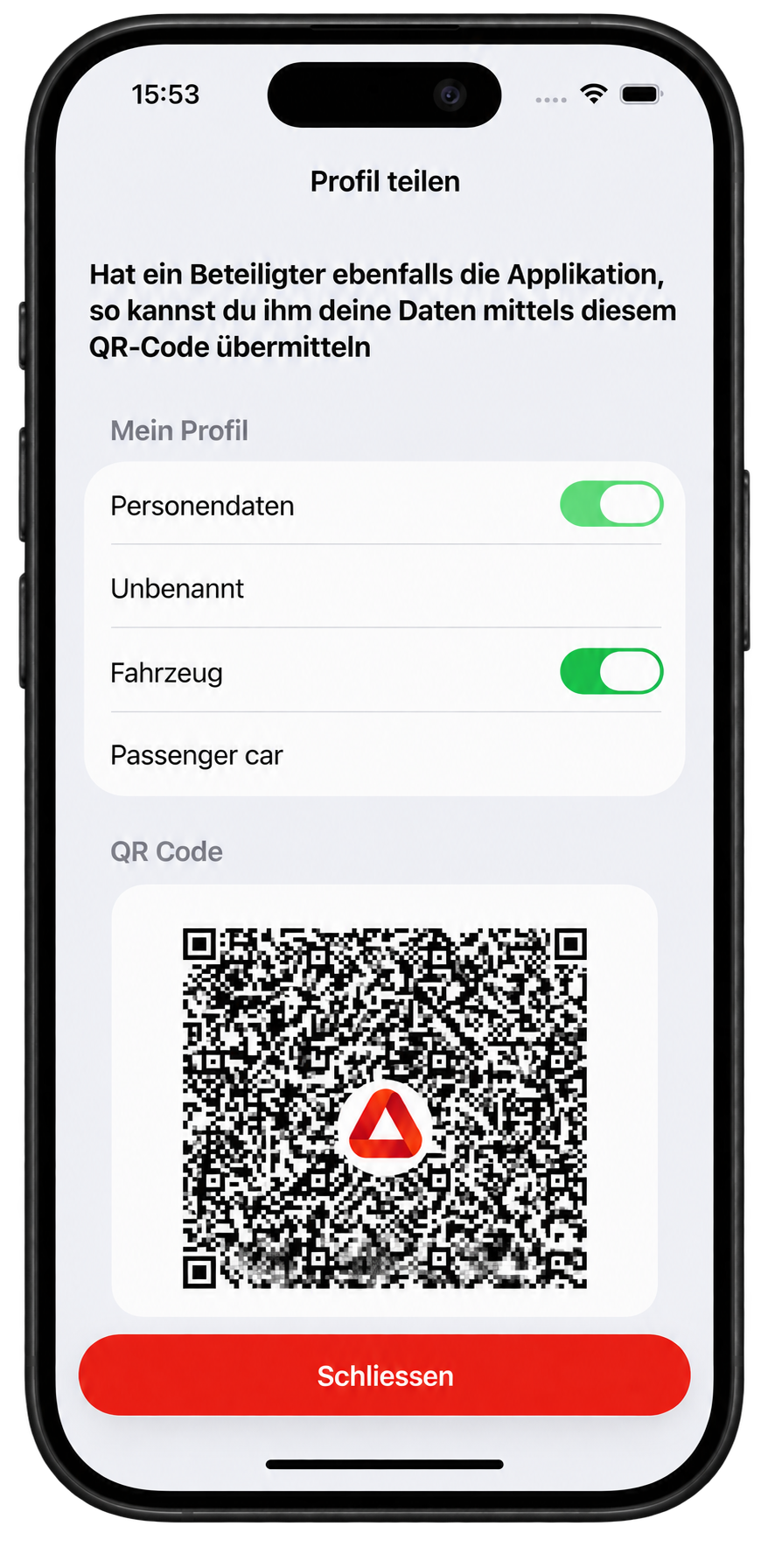
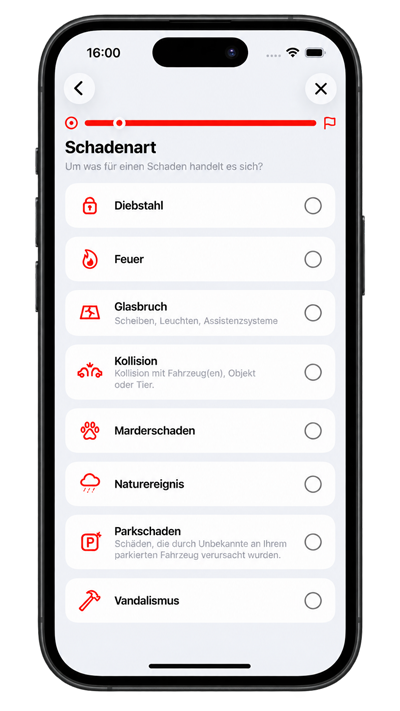
Record the damage type and situation in a structured way
The app offers the damage types that match the coverage. Parking damage on liability cover and collisions with people are also available as separate cases.
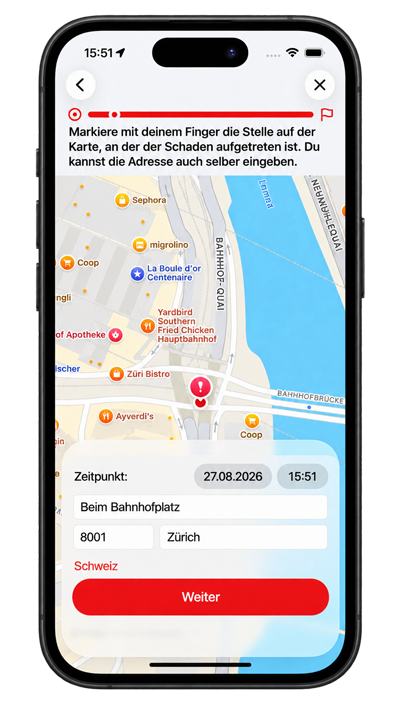
Record place, time and accident conditions
The accident location is recorded on the map. Weather and light conditions refer to the time of the accident, even if the report is completed later.
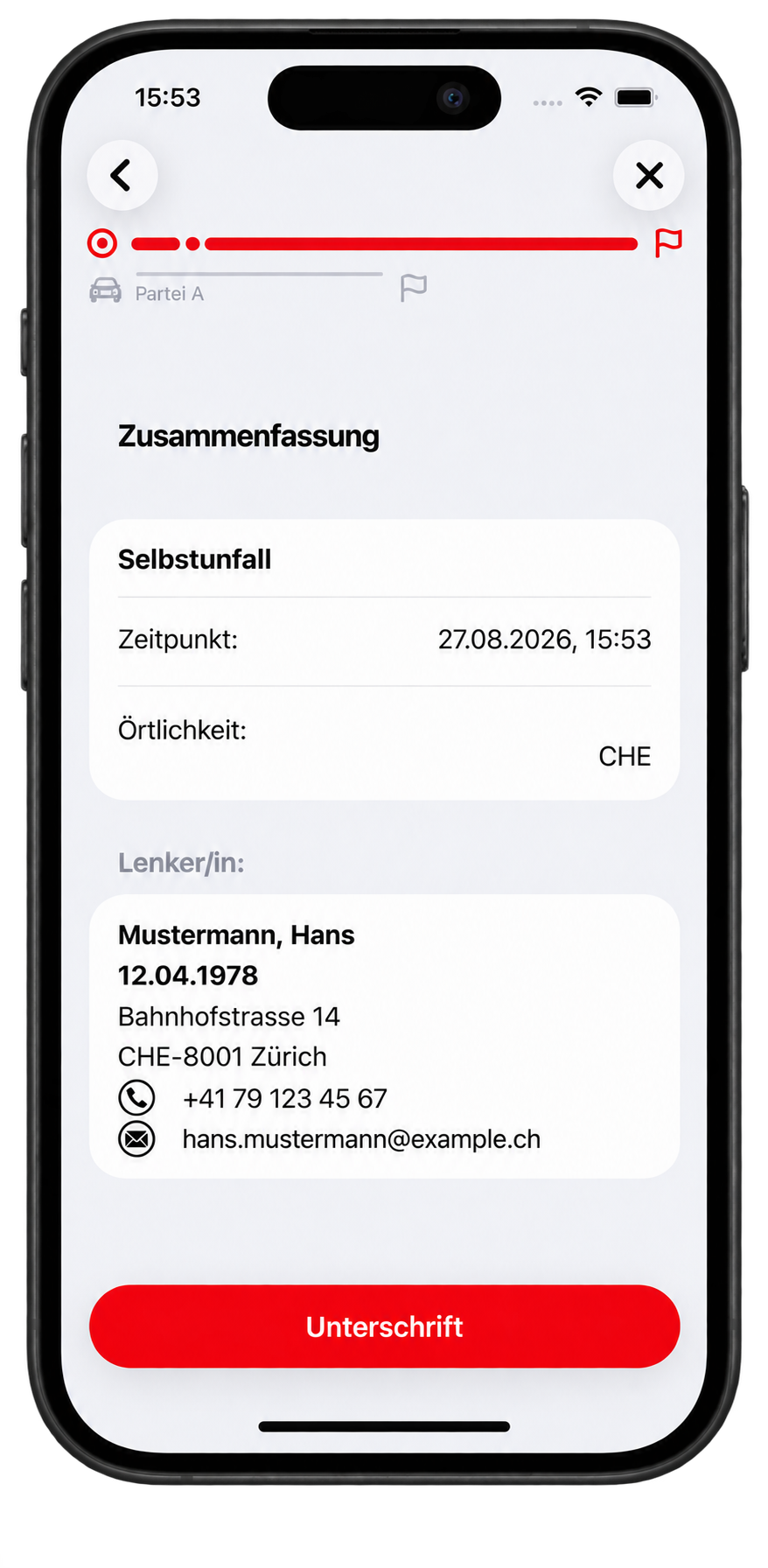
Review and sign the details
Before completion, the key details are summarised. The signature is submitted together with the time it was signed.
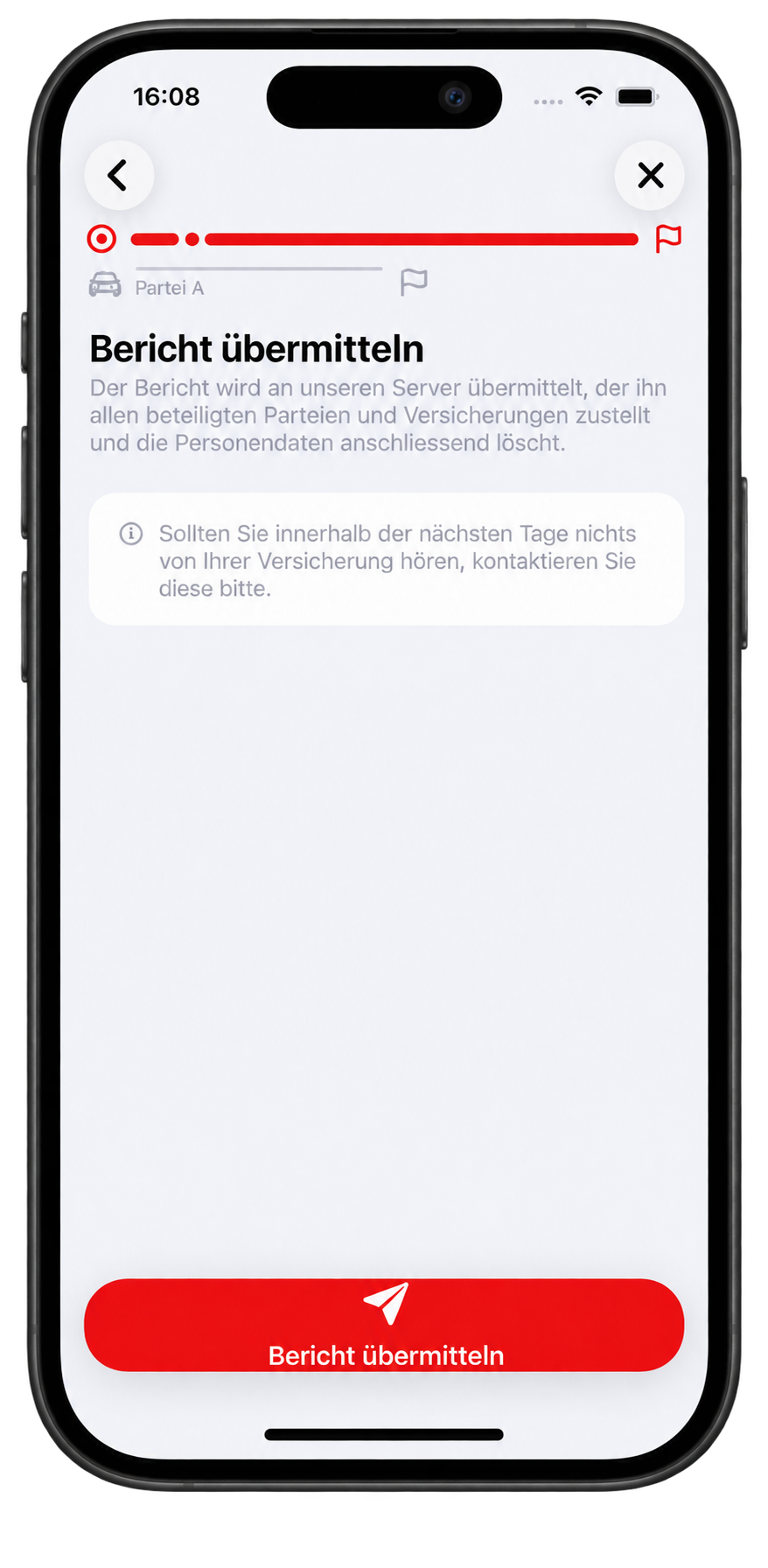
Confirm the report and hand it to the server
The app does not send emails itself. After confirmation, the server creates and distributes the PDF report in the language of each recipient.
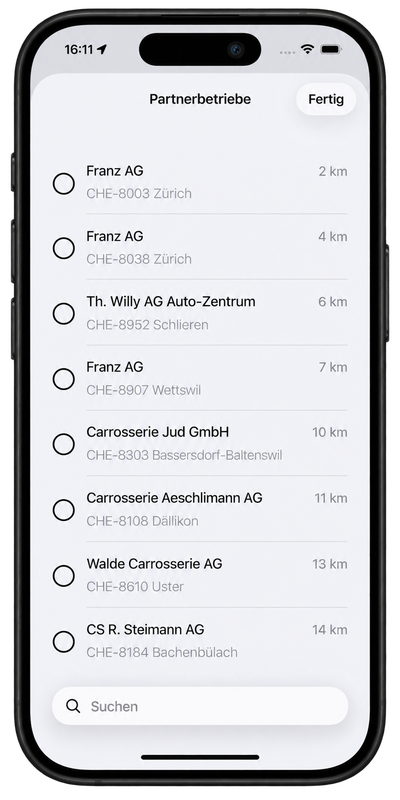
Select a repair shop and keep the report in the archive
Repair shops are sorted by distance and the insurer’s preferred shops are marked. The generated PDF comes back and remains available in the archive on the device.
Feature overview
Everything needed for a complete claim record.
Recording
- Guided accident and claim recording
- Personal, vehicle and insurance data
- Multiple parties, objects and animals
- Pedestrian collision as a separate case
- Witnesses and injured occupants
- Parking damage on liability cover
- Accident circumstances and point of first impact
- Location, time, weather and light conditions
- Photos, sketch, remarks and signature
- Driving licence number, category and validity dates
Sharing & archive
- Confirmation step before submission
- Server creates the report in each recipient’s language
- Generated PDF returns to the device
- Archive shows completed reports
- Share PDF and Mistra XML from the archive
- Archive shows parties that could not be reached
- QR code data exchange between parties
Languages & support
- 14 languages for claim recording
- Each party can use their own language
- Shared questions in each party’s language
- Remarks are translated on the device for recipients
- Practice mode without sending
- Green Card claims representatives and guarantee funds
- Broker can be selected instead of an insurer
Partners & business solutions
- Directory with 2,008 insurers in 47 countries
- Repair shops sorted by distance
- Insurer-preferred shops marked
- Search by name, street, town and postcode
- Branding and custom information content
- QR codes for fleet, rental and company vehicles
- Custom integrations can be developed
Technology & data flow
From the accident scene to the report in the archive.
The app records and checks the claim. Only after confirmation are the data handed to the server. There, the PDF report is created in the appropriate language for each recipient and distributed. The actual generated PDF is returned and stored on the device.
Record
People, vehicles, witnesses, location, photos, circumstances, point of first impact and signatures are recorded in a guided process.
Review
The details are summarised before completion and confirmed by the user.
Hand over to the server
The app hands the data to the server. It does not send the report itself by email.
Generate & archive
The server creates and distributes the recipient PDFs. The generated PDF returns and remains available in the app archive.
14languages for claim recording
2,008insurers from 47 countries in the Europe-wide directory
PDF + XMLreport and structured Mistra data for downstream processing
Time reference
Weather and light at the time of the accident
The conditions are taken from the actual time of the accident, even if the report is recorded hours or days later. They are sent to the insurer interface and Mistra, not printed on the PDF.
Driving licence
MRZ or QR code
Number, category and validity dates can be read where the driving licence carries the corresponding data.
Multilingual
Each party in their own language
The language is selected for each party. Shared questions are shown to that person in their language; remarks can be translated for recipients.
Archive
The PDF that was actually sent
The PDF generated by the server returns to the device. This keeps exactly the document used in the downstream process available.
Vehicle data
QR code concept
Vehicle and personal data can be prepared and selectively transferred at the scene.
Go to the QR code generatorPartners
Repair shops by distance
The list is ordered by distance and marks the insurer’s preferred shops. Search finds shops regardless of distance.
For organisations
Expandable for your organisation.
Branding, information tiles, partner selection and further integrations are planned and developed to match the specific use case and existing processes.
Europe & downstream processing
More coverage for cross-border claims.
The current version significantly expands insurer data, Green Card cases and structured downstream processing.
Europe-wide directory
2,008 insurers in 47 countries
The insurer directory was expanded from 279 entries to 2,008 insurers in 47 countries. This particularly improves selection for vehicles registered abroad.
Green Card
Claims representatives and guarantee funds
For foreign and unidentified vehicles, the relevant claims representatives and guarantee funds can be taken into account.
Structured downstream processing
Insurer interface and Mistra
The submission includes, among other things, circumstances as codes, point of first impact, repair shop, estimated amount, occupants, witnesses, policy number and Green Card number. PDF and Mistra XML can be shared from the archive.
Privacy
Your data. Only for as long as technically necessary.
To create and deliver a claim report, the recorded accident and personal data are processed briefly through the protected Accident Tool server infrastructure. Once transmission is complete, the personal data are deleted from the server.
Temporary server processing
Data are processed on the server only for as long as technically required for report generation, API transmission and delivery.
Deletion after transmission
Once the intended transmissions are complete and the reports have been delivered, personal data are deleted from the server.
No permanent personal claim file
WEBish does not maintain a permanent personal accident file. The generated PDF is returned to the app and stored in the device archive.
Statistics without personal reference
Only data that cannot be assigned to a specific person may remain for statistical analysis.
Report Accident Tool
QR codes for one vehicle. Or for the whole fleet.
The QR code generator is now available on Report Accident Tool.
Enter the policyholder once and add your vehicles. You receive a PDF card with a QR code for each vehicle, bundled in a ZIP file for multiple vehicles.
Everyone in their own language.
A language is selected for each party involved. Shared questions appear to that person in their language. Remarks can be translated on the device for other recipients. A total of 14 languages are available.
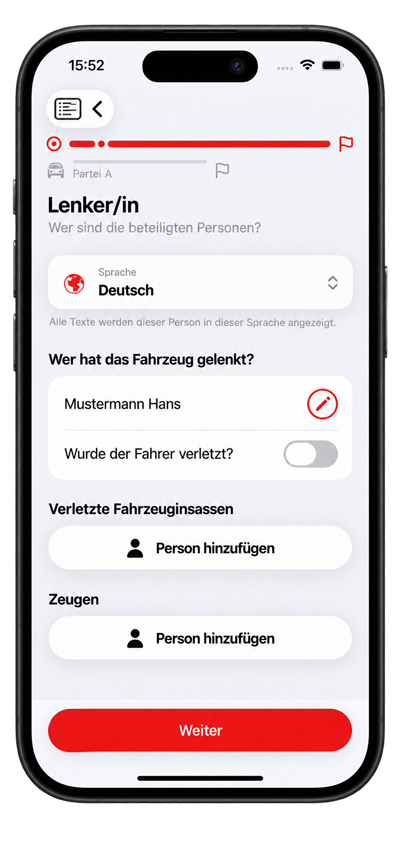
Language per party
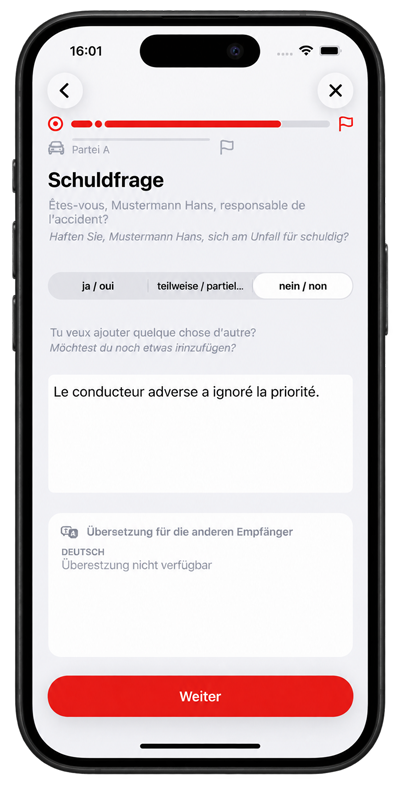
Deutsch ↔ Français
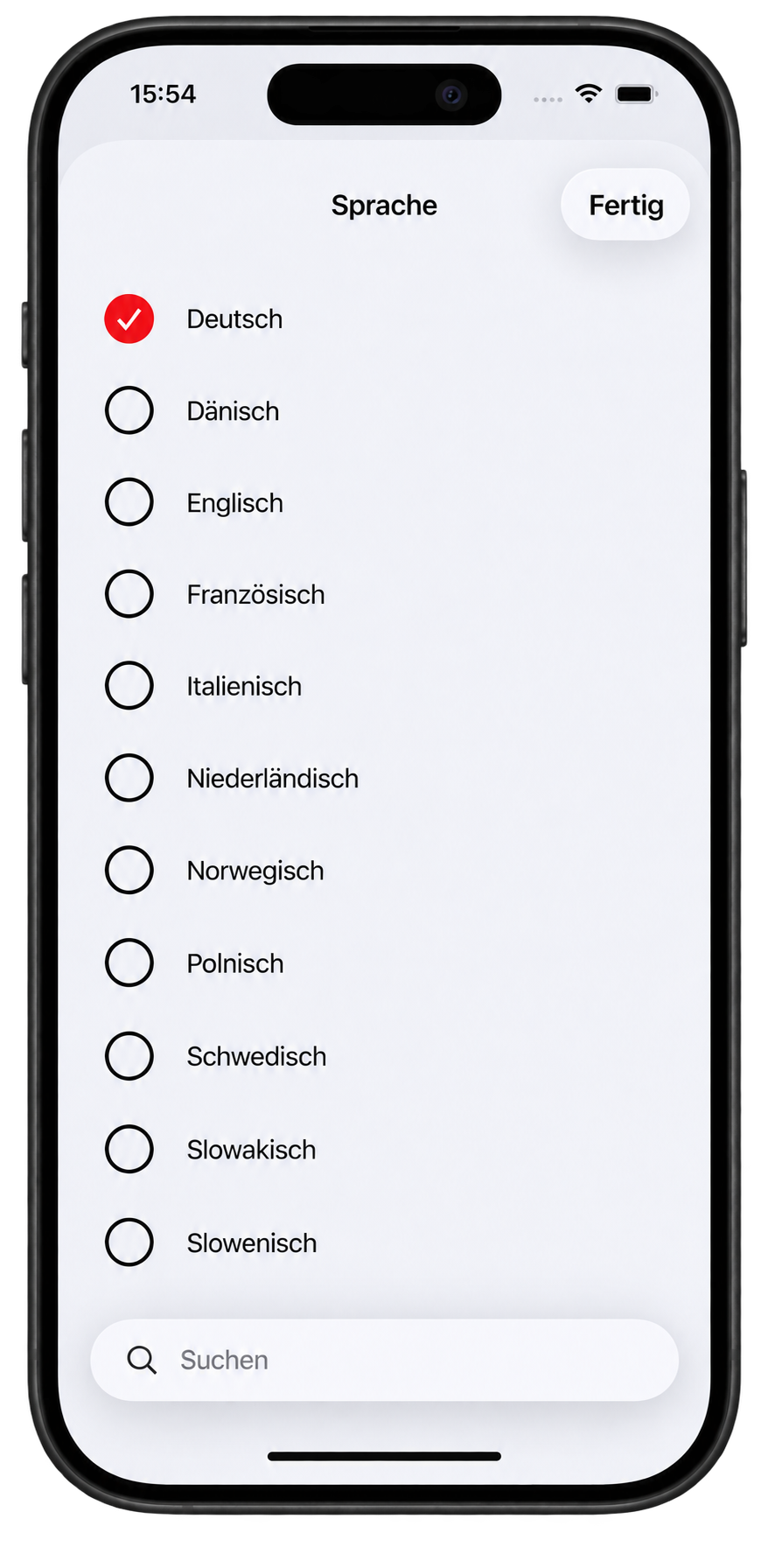
14 languages
DeutschEnglishFrançaisItalianoEspañolČeštinaSlovenčinaSlovenščinaMagyarPolskiNederlandsDanskSvenskaNorsk
New: Nine additional languages expand the original five to a total of fourteen.
Data quality and security.
Structured information, photos, location and time support the traceability of a claim.
Consistent information
Guided recording helps ensure that all relevant information is complete.
Time and location reference
Automatic recording of time and location documents the claim in both space and time.
Documentation of visible damage
Photos and sketches show the condition immediately after the incident. Photos are georeferenced and marked with the date and time.
Sharing with defined recipients
Data is forwarded only to designated insurers, partners and parties involved.
Protection against unintended changes
A completed report is documented and traceable, but can no longer be changed.
Solutions and target groups
The Accident Tool supports different roles in the claims process.
Insurers and claims organisations
Structured data directly from the scene can enable faster claim identification and coordination.
Fleet operators
Overview and tracking of all incident records across the company fleet.
Companies with business vehicles
Structured documentation and sharing for damage to company vehicles, supporting internal claims management.
Car rental and car-sharing providers
Digital recording of rental vehicle damage with standardised documentation.
Garages and repair shops
Detailed damage documentation from the scene supports repair planning.
Towing services
Operational information and damage documentation from one source to optimise deployment.
End users involved in a claim
A calm, structured path through the first phase after an accident, with clear documentation.
Use cases
The Accident Tool in different scenarios.
Accident with two or more parties
All parties can use the Accident Tool to document their perspective consistently.
Parties without a common language
Each party can read the shared questions in their own language. A total of 14 languages are available.
Damage without a third party
All relevant information is recorded in a structured way even for single-vehicle damage.
Collision with a pedestrian
A dedicated case records collisions with people correctly and tells users to call the police if anyone is injured.
Damage to an object
Accidents involving damage to buildings, installations or other objects are documented.
Wild animal damage
Specific recording of vehicle damage caused by wild animals with the relevant details.
Breakdown
Breakdowns and technical defects can also be documented.
Rental vehicle
Rental vehicle data can be preloaded by QR code and documented quickly.
Fleet or company vehicle
Vehicle-specific and fleet data support claims management across the organisation.
Glass damage
Glass damage is among the selectable damage types where it matches the recorded coverage.
Made for the moment that matters.
Stress, confusion and shock are normal after an accident. The Accident Tool is designed to remain easy to understand under pressure, with large screens, clear next steps and little text. People affected by stress or shock are not confronted with impossible tasks.

Media section
Learn more about the Accident Tool.
Podcast
A conversation about the Accident Tool
Background, concept and benefits of the digital accident assistant.
Explainer video
The accident tool explained
A concise overview of the process and possibilities.
Comic
An accident, simply explained
The short comic shows the digital process step by step.
Potential future development
Not promised, but under review.
These features are currently under review and may become available in future versions, without any binding commitment.
Custom integrations
Additional connections can be developed to match an organisation’s processes and target systems.
Status information
Tracking the processing status of a claim through the app.
Additional insurance types
Adaptation to further insurance types and specific claim situations.
Android version
If there is concrete interest, an Android version can be evaluated and implemented as a custom development.
Video communication
Optional live video support between the parties involved or with insurance representatives.
Additional services
Possible integration of further services into the claims process.
About us
People, technology and one shared goal.
Accident Tool is built by a focused team. Experience in claims processes, development, marketing and design comes together in a solution that supports people when it matters most.


Frequently asked questions
Answers to your questions.
How are data processed?
The claim is recorded in the app. After confirmation, the app hands the data to the server. The server creates and distributes the reports in the language of each recipient. The confirmation step states that the personal data are deleted once all parties have received the report. The generated PDF is returned and stored in the app archive.
Does recording work without a common language?
Yes. A separate language can be selected for each party involved. Shared questions are shown to that person in their language; remarks can be translated for recipients.
Which languages are supported?
A total of 14 languages are available: German, English, French, Italian, Spanish, Czech, Slovak, Slovenian, Hungarian, Polish, Dutch, Danish, Swedish and Norwegian.
Can I try the process without sending anything?
Yes. Practice mode takes you through the entire process without sending a report. It is clearly marked on the screens and, before submission, names the address to which a practice report would be sent.
Do all parties need to have the app installed?
No. One party can record the claim in their app. If the other party also has the app, selected profile and vehicle data can additionally be exchanged by QR code.
How are reports delivered?
The app does not send emails itself. It hands the confirmed claim to the server. The server creates the PDF report in each recipient’s language and distributes it. The generated PDF is then stored on the device.
How are repair shops included?
Repair shops are shown in a list ordered by distance. The insurer’s preferred shops are marked. Search finds shops by name, street, town and postcode regardless of distance.
What applies to foreign or unidentified vehicles?
The current version supports Green Card claims representatives and guarantee funds. The Europe-wide insurer directory contains 2,008 insurers in 47 countries.
Can the Accident Tool be integrated into business systems?
Custom integrations are possible as an extension. The exact scope is planned and developed around the existing processes and target systems.
Which platforms are supported?
The Accident Tool is currently available for iOS. An Android version can be evaluated and implemented as a custom development where there is concrete interest.
How does the QR code work for fleet and rental vehicles?
QR codes can contain prepared personal, vehicle and insurance data. The QR code generator is now available on Report Accident Tool.
App download and support
Get started now.
Support and further information
Questions or problems with use:
Use our contact form. Your enquiry goes directly to the Accident Tool team.
Go to contact formDemo and pilot
From the first conversation to pilot operation.
We guide you through a structured process, from the product demo to a successful pilot.
Demo
Discover the Accident Tool through realistic scenarios.
Clarify requirements and processes
Your specific requirements and existing processes are documented.
Define features, branding and integrations
Customisations and integrations for your organisation are planned.
Prepare the pilot
The environment is configured, the team is trained and the first users are activated.
Run and evaluate the pilot
The Accident Tool is tested under real conditions and feedback is collected.
Contact
Talk to our team.
Do you have questions about the Accident Tool or would you like to start a pilot? We are happy to help.